
En bref
- Streaming exceeded combined broadcast and cable TV viewing in the US for the first time in May 2025 (Nielsen).
- 83% of US adults now use streaming services, according to Pew Research Center (July 2025).
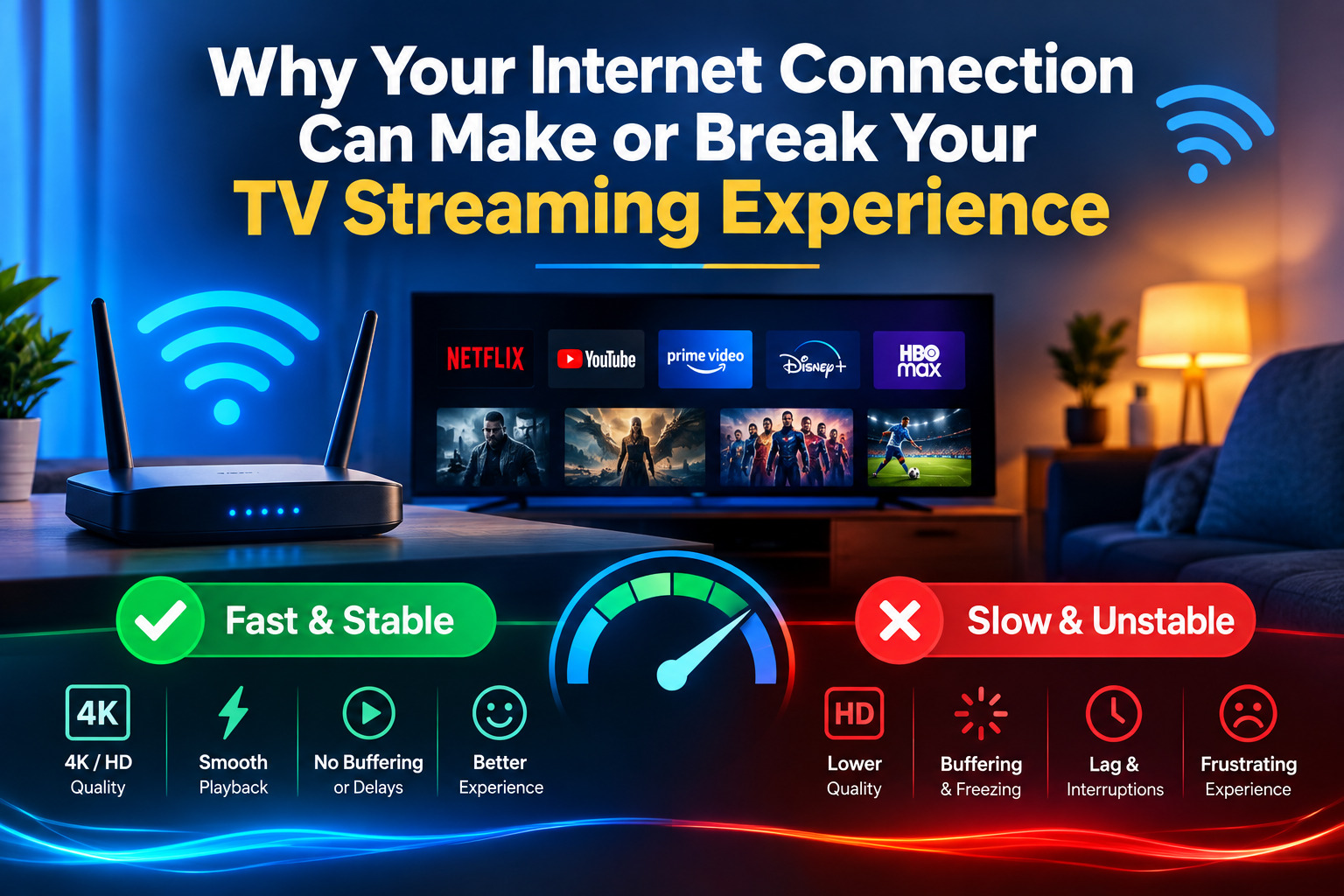
- Raw download speed is necessary but not sufficient. Latency, jitter, and packet loss matter for live TV.
- Ethernet is generally more reliable than Wi-Fi for live sports and news. Wi-Fi 6 helps but doesn’t eliminate the gap.
- Live streaming is technically harder than on-demand streaming. Even Netflix struggled with the Paul vs. Tyson event in November 2024.
- If every channel buffers, suspect your connection or ISP. If only one channel buffers, suspect the provider.
- Red flags before subscribing include crypto-only payment, “lifetime” plans, no trial period, and no identifiable business information.
- IPTV as a technology is legally neutral. What matters is whether the service has licensed the content it distributes.
Streaming has quietly won. According to Nielsen’s May 2025 data, streaming exceeded the combined share of broadcast and cable TV viewing for the first time in US history, a milestone that would have seemed implausible a decade ago. Pew Research Center’s July 2025 survey found that 83% of US adults now use streaming services, while traditional cable and satellite subscriptions continue their long decline. The shift is real, and it’s reshaping how Americans watch television.
The problem is that most people approach the subscription decision the same way they’d pick a cable package: check the channel list, look at the price, and maybe read a few reviews. Content libraries and monthly costs are easy to compare. What’s harder to evaluate, and what actually determines whether you end up with a great experience or a frustrating one, is the technical and service infrastructure underneath. Your internet connection, home network setup, provider’s server architecture, and a handful of settings you’ve probably never touched are doing more work than you realize.
This guide is about those factors. Not which service has the best content deal, but what makes internet-based TV actually work and how to evaluate any streaming service before you hand over your payment details.
How Internet-Based TV Actually Works
Traditional cable delivers video as a continuous radio-frequency signal over coaxial or fiber-optic cable. Broadcast TV uses over-the-air radio waves. Internet-based TV, whether you’re talking about YouTube TV, Sling TV, or any IPTV service, works differently: video is broken into data packets and delivered over IP networks, the same infrastructure used for email and web browsing.
For live TV, many managed IPTV systems use multicast delivery: a single stream is sent to a group of viewers simultaneously, keeping bandwidth consumption constant regardless of how many people are watching. On-demand content typically uses unicast delivery, where the server sends a separate stream to each individual viewer. This is why Netflix can serve millions of simultaneous streams while each viewer has their own connection.
The video itself is compressed using codecs. H.264 (AVC) has been the workhorse of streaming for years. H.265/HEVC is more efficient. It can deliver comparable picture quality at a lower bitrate, which is why it’s increasingly used for 4K streams. Understanding these basics matters because they explain why your connection requirements change depending on what you’re watching and how.
The Speed Numbers That Actually Matter
Netflix recommends 5 Mbps for HD streaming and 25 Mbps for 4K. Industry guidance for IPTV services generally aligns: 10–15 Mbps for stable HD and 25–50 Mbps per stream for 4K. If you’re running multiple 4K streams simultaneously in a household, you need that bandwidth multiplied by the number of concurrent streams, plus headroom for everything else on your network.
But here’s what those speed-test numbers don’t tell you: raw download speed is not the whole story.
For on-demand content like Netflix movies or Hulu shows, a fast connection is usually enough. The player buffers ahead, smoothing over brief fluctuations. Live TV is different. It can’t buffer far ahead because the content doesn’t exist yet. That makes it sensitive to three metrics that most consumers never check:
- Latency: The round-trip time between your device and the server. High latency can increase delays in signal delivery, a problem for live sports where even a few seconds of lag is noticeable.
- Jitter: Variability in packet arrival times. Even if your average latency is fine, inconsistent delivery can cause stuttering and freeze frames.
- Packet loss: Packets that never arrive at all. Packet loss can cause visible artifacts or stream drops on live TV.
You can run a speed test and see 200 Mbps down with a satisfied expression, then sit down for a live Premier League match and watch it buffer every five minutes. The speed test passed. The live stream didn’t. Those are measuring different things.
Wi-Fi vs. Ethernet: The Argument That Still Matters
Wi-Fi has gotten dramatically better. Wi-Fi 6 (802.11ax) offers higher throughput, better performance in congested environments, and improved handling of multiple simultaneous devices. In most households, it’s perfectly adequate for on-demand streaming.
For live TV, especially live sports, news, or any event where you can’t pause and catch up, a wired Ethernet connection is still generally more reliable. The reasons are straightforward:
- Lower latency: Wired connections typically have lower and more consistent latency than Wi-Fi.
- No wireless interference: Wi-Fi shares spectrum with neighboring networks, microwave ovens, Bluetooth devices, and other equipment. Interference can cause delays and retransmissions.
- No wireless signal degradation: Physical walls, distance from the router, and device congestion can degrade Wi-Fi performance. A wired connection doesn’t have these variables.
- Consistent packet delivery: Ethernet generally provides more consistent connectivity than a marginal Wi-Fi signal.
If your TV is near your router, running an Ethernet cable is a simple project that can improve live TV reliability. If that’s not practical, a powerline adapter or MoCA adapter, which uses your home’s coaxial wiring, can be a solid middle-ground option. Wi-Fi 6 has narrowed the gap, but in a household with multiple devices competing for bandwidth, it hasn’t closed it.
Why Live TV Is Harder Than On-Demand
On-demand streaming, a movie, TV series episode, or documentary, is a mature problem at scale. The content is pre-encoded, cached across content delivery networks (CDNs), and delivered with buffering. Your player can download content ahead of what you’re watching, meaning a brief network hiccup may be invisible to you.
Live TV has less of a safety net. The stream exists in real time. CDN infrastructure, networks of servers distributed geographically to deliver content from locations close to viewers, helps significantly, but it can only do so much when millions of people are simultaneously requesting the same live feed.
The November 2024 Netflix Paul vs. Tyson boxing event illustrated this vividly. Complaint reports peaked at over 88,000 on monitoring services, with viewers experiencing buffering, pixelation, and stream failures during the undercard bouts, before the main event even started. Netflix is not a small operation with a weak server farm. It has some of the most sophisticated streaming infrastructure in the world. The event still experienced significant problems under demand. That’s not a knock on Netflix specifically. It’s a demonstration of how technically difficult live streaming at scale remains.
For smaller IPTV providers, the challenge can be even more acute. A provider that handles 10,000 subscribers on a normal Tuesday night may have infrastructure sized for that load. Add a major live event, a Super Bowl, World Cup match, or championship fight, and that infrastructure gets tested in ways that can quickly reveal its limits.
Peak hours matter even on ordinary evenings. Streaming traffic is typically heaviest between 7–11 PM local time. A service that performs flawlessly at 2 PM on a Wednesday may stutter noticeably on a Friday night when demand is higher.
The Buffering Diagnosis: Is It You or Them?
Buffering is the most common complaint in internet TV, and it has a useful diagnostic shortcut: scope.
If every channel or service buffers across multiple apps and devices, the problem is more likely to be your connection, home network, or ISP. Start there. Test your speed and, more importantly, test latency and packet loss using tools such as Waveform’s Bufferbloat Test or Fast.com’s advanced metrics. Check whether your router is congested. Try connecting directly via Ethernet and see if the problem improves.
If only one channel or one provider’s streams buffer while everything else works fine, the bottleneck is more likely to be on the provider’s end, their servers, CDN, or the specific stream’s encoding.
A practical troubleshooting sequence:
- Switch to Ethernet if you’re on Wi-Fi. This eliminates the wireless connection as a variable.
- Clear the app cache on your streaming device. Corrupted cache data can cause playback issues.
- Test during off-peak hours (mid-morning or early afternoon). If the buffering disappears, congestion, either on your ISP’s network or the provider’s, may be the cause.
- Try a VPN on a trial basis. If your stream improves measurably when routed through a VPN, it may indicate routing or traffic-management issues with your ISP. The FCC’s Consumer Complaint Center can be used to report suspected ISP-related problems.
- Test on a different device. If the problem is device-specific, it may be a local hardware or software issue rather than a network or provider issue.
None of these steps require technical expertise. They require patience and a willingness to isolate variables rather than blame the first thing that comes to mind.
What to Check Before Subscribing to Any Internet TV Service
The subscription decision deserves more scrutiny than most people give it. Here’s what to evaluate before committing:
Trial period: A reputable service may offer a trial period. A 24–48 hour free trial can be useful for testing performance before committing. Use the trial properly. Don’t just confirm that the app opens.
Device compatibility: Verify that the service works on every device you plan to use. The major platforms, Samsung Tizen, LG webOS, Amazon Fire TV, Android TV, Apple TV, iOS, and PC, each have their own app ecosystems. A service that works perfectly on Fire TV may have no app for Apple TV. Check before subscribing, not after.
EPG accuracy: The Electronic Program Guide should show correct schedules with accurate times and descriptions. An EPG that’s wrong by an hour or blank for many channels can make the service frustrating to use daily.
Customer support responsiveness: Test it during the trial. Send a question via chat or email and measure the response time. A provider that takes 72 hours to respond to a pre-sale inquiry may take longer when you have an actual problem.
Pricing transparency: The price you see should be the price you pay. Hidden fees, automatic upsells, or prices that change after the first month are warning signs.
Cancellation policy: You should be able to cancel without calling a phone number, navigating a retention script, or waiting on hold. If the cancellation process isn’t clearly documented, consider it a warning sign.
Red flags to walk away from: crypto-only payment options, “lifetime” subscription offers, no identifiable business name or physical address, and no trial period. These patterns can appear in consumer forums and scam-tracking resources.
The internet TV market is global, and consumers researching services will encounter providers operating across different jurisdictions. Some serve the French market. https://goldiptv.fr/ is one example of a provider operating in that space. Others target different regions entirely. The evaluation criteria don’t change based on geography: transparency, device compatibility, trial availability, and clear pricing are the baseline regardless of where a service is based.
Licensed vs. Unlicensed: What the Distinction Actually Means
IPTV is a delivery technology. It is legally neutral, the same way a USB drive isn’t illegal, but what you put on it might be. The legal question with any internet TV service is not whether it uses IP delivery, but whether it has licensed the content it distributes.
Licensed services, YouTube TV, Sling TV, Hulu Live TV, FuboTV, and others, have negotiated distribution agreements with broadcasters and content owners. Those agreements are expensive, which is a significant reason why these services cost what they do. They also come with official apps, customer support, and the legal protections that come from operating within a regulatory framework.
Unlicensed services redistribute copyrighted content, live channels, sports rights, and premium movies, without authorization from the rights holders. The legal risk primarily concerns the operators of those services, but in some jurisdictions, consumers may also face legal exposure.
France provides a clear example of viewer-side enforcement. France’s audiovisual regulator, ARCOM, has blocked pirate domains and can take enforcement action against illegal streaming. French law also provides for penalties related to accessing or distributing unauthorized copyrighted content.
At the EU level, the Digital Services Act has introduced a notice-and-action mechanism requiring platforms to act on illegal-content notices, supporting faster enforcement processes across member states.
The important takeaway is that legality depends on the service and the content, not the technology. An IPTV app on your Fire TV is not inherently legal or illegal. What matters is whether the service feeding it has the rights to what it’s distributing and whether the jurisdiction you’re in holds viewers accountable for accessing unlicensed content.
The Terminology You’ll Encounter
Shopping for internet TV services means running into technical terms that providers use without explanation. Here are the ones that actually matter to a consumer:
M3U playlist: A text file containing a list of channel stream URLs. When a provider gives you an M3U link, you’re getting a channel list that a compatible player app can read. The format is widely supported, but the quality of the list, whether URLs are current and whether the streams actually work, varies by provider.
EPG / Electronic Program Guide: The schedule data that tells your player what’s on each channel and when. EPG data is typically delivered in XMLTV format and linked to channels via matching ID tags. When EPG is wrong or missing, it may indicate that the provider isn’t maintaining its schedule data properly.
Xtream Codes: A credential-based API standard that’s widely used for accessing IPTV services. Instead of an M3U file, you get a server URL, username, and password. Your player app uses those credentials to fetch live TV channels, VOD content, and EPG data from the provider’s server. Many IPTV player apps support Xtream Codes login. It can also enable features such as catch-up TV.
Multicast vs. Unicast: Multicast sends one stream to many viewers simultaneously, keeping bandwidth constant regardless of audience size. It’s efficient for live TV on managed networks. Unicast sends a separate stream to each viewer, which scales with audience size and is commonly used for internet-based on-demand content.
These standards are consistent across markets. A provider in the UK can use the same M3U format, Xtream Codes API, and EPG data structure as one in the US or elsewhere. https://united-kingdomiptv.com/ is an example of a provider operating in the UK market using these same underlying technical standards. The technology is universal; the content rights and regulatory environment are not.
A Note on Evaluating Quality Claims
Marketing language in the internet TV space can be difficult to verify. “99.9% uptime,” “35,000 channels,” and “4K quality guaranteed” are claims that should be tested rather than accepted at face value.
Here’s how to use a trial period properly:
Test during peak hours. Log in on a Friday evening between 8 and 10 PM and watch live TV for an hour. This is when server load and network demand may be higher, making infrastructure weaknesses easier to identify.
Test during a live sports event. If the service carries sports, find a live match or game during your trial and watch it. Live sports can be demanding for streaming services. If it holds up there, that’s a useful sign.
Test on every device you plan to use. Don’t assume that because it works on your laptop, it’ll work on your TV. Each platform has its own app, performance profile, and potential compatibility issues.
Check EPG accuracy. Open the program guide and verify that what it says is on right now matches what’s playing. Check a few channels and whether the schedule looks accurate for the following day. EPG quality can be a useful indicator of operational quality.
Test customer support. Send a message during your trial, a genuine question, not a test, and see how long it takes to get a useful response. If support is slow before you’ve paid, it may also be slow after.
Marketing claims are the beginning of the evaluation, not the end of it.
The internet TV market has matured considerably, but the quality gap between services remains wide. The difference between a service that works reliably and one that frustrates you every evening isn’t always obvious from the outside. It lives in server infrastructure, CDN architecture, content licensing, and operational discipline that no marketing page will describe honestly.
Consumers who end up satisfied are those who treat the subscription decision the way they’d treat any significant technology purchase: with skepticism, a checklist, and an insistence on testing before committing. A trial period isn’t a courtesy. It’s one of the most useful evaluation tools you have.
Your internet connection is the foundation. Everything else, the provider’s servers, the CDN, the app, and the EPG, is built on top of it. A weak foundation makes every layer above it unreliable. Get the foundation right first, then evaluate what’s built on it.