
Digital content has become a major part of everyday communication. From social media posts and marketing campaigns to tutorials and online publications, people constantly need attractive images and high-quality videos. At the same time, computers are expected to handle increasingly demanding creative applications without slowing down.
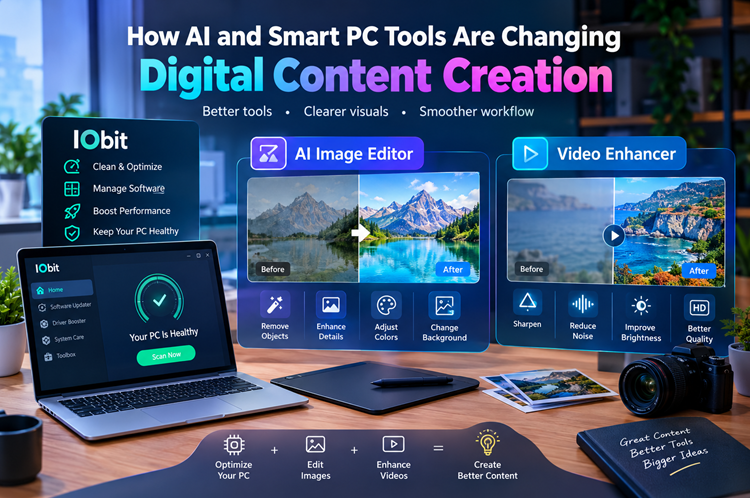
Modern software is making both tasks easier. AI-powered editing technology can help users improve visual content, while PC maintenance utilities can help keep a computer prepared for demanding workloads. Tools associated with IObit, an AI image editor, and a video enhancer represent three different approaches to improving the overall digital workflow.
Making Visual Editing More Accessible
Professional photo and video editing has traditionally required specialized knowledge. Users often had to understand complicated interfaces, layers, filters, color adjustments, and numerous technical settings before producing polished results.
Artificial intelligence is changing that experience. Instead of manually performing every adjustment, AI-powered applications can analyze visual content and assist with common editing tasks.
An AI image editor can be particularly useful for creators who want to make changes without spending a large amount of time working through complicated editing controls. Depending on the software, AI features may help with tasks such as removing unwanted objects, changing backgrounds, improving lighting, adjusting colors, or enhancing image details.
The technology does not eliminate the creative role of the user. Instead, it can reduce repetitive work and give creators more time to focus on the concept and final appearance of their projects.
Improving Older or Low-Quality Images
Not every photograph starts with perfect lighting, sharpness, or resolution. Images captured in poor conditions may contain noise, blur, compression artifacts, or other visual imperfections.
This is where an AI image editor can provide useful assistance. Modern AI systems can analyze different parts of an image and apply adjustments based on the characteristics of the content.
For example, an old photograph may benefit from improved sharpness and contrast, while a poorly lit picture may require adjustments to brightness and color balance. AI-assisted tools can make these processes easier for users who do not have extensive editing experience.
However, results can vary depending on the original image. A heavily damaged or extremely blurry photograph may not be completely restored. Users should therefore treat AI enhancement as a helpful editing method rather than a guarantee of perfect reconstruction.
Giving Videos a Quality Upgrade
Images are only one part of digital content. Video has become equally important for websites, social platforms, advertising, education, and entertainment.
A video enhancer can help improve footage that suffers from common quality problems. Depending on its capabilities, such software may assist with sharpening, reducing visual noise, improving brightness, or increasing the apparent clarity of lower-quality footage.
This can be useful when working with older recordings or videos captured in less-than-ideal conditions. Instead of immediately discarding footage because it does not look perfect, creators can experiment with enhancement tools to see whether its visual quality can be improved.
AI-based video processing can also save time by automating adjustments that would otherwise require multiple manual editing steps.
Choosing the Right Enhancement Approach
Not every visual problem requires the same solution. A dark photograph may need exposure and color correction, while a soft image may benefit more from sharpening. Similarly, a compressed video may require noise reduction rather than simply increasing sharpness.
This is why users should examine the original content before applying an enhancement. Excessive sharpening, for instance, can create unnatural edges, while aggressive noise reduction may remove useful details.
A good workflow involves making moderate adjustments and comparing the result with the original. This makes it easier to determine whether an AI-powered change actually improves the content.
Where IObit Fits Into the Workflow
Creative software can place considerable demands on a computer. Large image files, high-resolution videos, and AI-powered processing can consume significant CPU, GPU, RAM, and storage resources.
This makes general PC maintenance important for creators. IObit offers software utilities aimed at helping users manage and maintain their Windows systems.
Keeping unnecessary applications under control, managing software efficiently, and maintaining system health can contribute to a smoother creative workflow. While maintenance software cannot replace suitable hardware, it can help users keep their computers organized and ready for everyday tasks.
For someone regularly working with demanding creative applications, a well-maintained system can make the overall experience more convenient.
Combining AI With Human Creativity
One of the biggest advantages of modern AI tools is speed, but speed alone does not guarantee a good result. A creator still needs to decide what the final image or video should communicate.
AI can suggest improvements, automate repetitive adjustments, and help transform basic material into something more polished. The user remains responsible for selecting the right direction, reviewing the output, and making final creative decisions.
This combination can be especially useful for content creators who need to produce material regularly. Instead of spending most of their time on technical adjustments, they can use AI to handle routine parts of the workflow.
A Practical Workflow for Creators
A simple workflow can make these tools easier to use. Start with the original image or video and identify its biggest weakness. If an image needs object removal or visual correction, an AI image editor may be appropriate. If the problem is primarily video quality, a video enhancer could be a better choice.
After processing the content, compare the enhanced version with the original. Look for unnatural details, excessive sharpening, strange textures, or changes that do not match the intended style.
At the same time, keeping the computer maintained can help ensure creative applications have enough resources to operate effectively.
Final Thoughts
AI is making digital content creation more approachable by reducing the amount of manual work required for many editing tasks. An AI image editor can simplify photo improvements, while a video enhancer can help creators get more value from existing footage.
Meanwhile, solutions from IObit can support the broader PC maintenance side of a creator's workflow.
The best results come from combining these technologies with human creativity and careful review. AI can accelerate the process, but the creator's ideas, choices, and attention to detail remain central to producing content that looks natural and communicates effectively.