
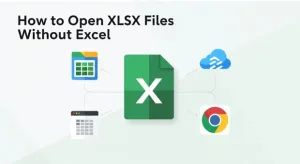
You received an important file with the .xlsx extension. But you don’t have Microsoft Excel installed. Maybe you can’t afford it. Maybe your computer doesn’t have it. This is a common problem.
The good news? You have several free options to open and edit these files. You don’t need to buy Excel.
Here are the best ways to open XLSX files without Microsoft Excel.
What Is an XLSX File?
XLSX is the default file format for Excel spreadsheets. It stores data in rows and columns. It can contain formulas, charts, and formatting.
Microsoft created this format. But many other programs can open it. You are not locked into using Excel.
Method 1: Use Free Online Spreadsheet Tools
Online tools work in your web browser. You don’t install anything.
Google Sheets
- Go to sheets.google.com
- Sign in with a free Google account
- Click the folder icon to open a file from your computer
- Upload your XLSX file
- Edit and save your work
Google Sheets preserves most formatting and formulas. It’s reliable and free.
Method 2: Install Free Office Software
If you prefer desktop software that works offline, free office suites are your answer.
WPS Office
WPS Office includes a spreadsheet program called WPS Spreadsheets. It opens XLSX files perfectly.
What you get:
- Full compatibility with Excel formats
- Familiar interface similar to Excel
- Support for formulas and charts
- PDF conversion built-in
- Available for Windows, Mac, Linux, Android, and iOS
WPS Office is completely free. It handles complex spreadsheets without issues. You can also get an excel download for working with spreadsheets, alongside tools for documents and presentations.
Free Methods Comparison
| Method | Best For | Internet Required | Cost |
| Google Sheets | Quick edits, collaboration | Yes | Free |
| Zoho Sheet | Online work, multiple users | Yes | Free |
| WPS Office | Desktop use, advanced features | No | Free |
Method 3: Use File Viewers
If you only need to view the file, not edit it, file viewers work well.
WPS Free Excel Viewer
WPS offers a free Excel download Viewer. It lets you open, view, and print XLSX files.
Limitations:
- You cannot edit the files
- No formula calculation
- Read-only access
How to get it:
- Search “WPS Excel Viewer” on WPS official site
- Download and install
- Open any XLSX file to view it
This is useful for checking files without making changes.
Method 4: Convert to Different Format
You can convert XLSX files to other formats you can open.
Convert to CSV
CSV files open in any text editor or spreadsheet program.
How to do it online:
- Search for “XLSX to CSV converter” (use reputable sites only)
- Upload your file
- Download the CSV version
- Open in any text editor
What you lose:
- Formulas become values
- Multiple sheets may not convert
- Formatting disappears
This works for simple data. Not good for complex spreadsheets.
Method 5: Use Your Mobile Device
Smartphones and tablets can open Excel files.
On iPhone/iPad:
- Download the free WPS Office app from the App Store
- Sign in with a free WPS account.
- Open XLSX files from email or cloud storage
On Android:
- Get the WPS Office from the Play Store for full features
- Use the free version with basic editing
- Mobile apps work well for viewing and light editing.
Quick Reference: Which Method Should You Use?
| Your Situation | Best Solution |
| Need quick edit, have internet | Google Sheets |
| Work offline, need full features | WPS Office |
| Only need to view files | Excel Viewer |
| Use mobile device often | Excel mobile app or WPS mobile |
| Simple data only | Convert to CSV |
Frequently Asked Questions (FAQ)
Can I open XLSX files in Google Sheets?
Yes. Upload the file to Google Drive, then open with Google Sheets. It works well for most files.
Is WPS Office really free?
Yes. WPS Office has a free version with all essential features. No subscription needed.
Will my formulas work in free software?
Most basic formulas work. Very complex Excel macros may not. Test your important files.
Can I save back to XLSX format?
Yes. All tools mentioned let you save your work as XLSX files.
Is it safe to upload my files online?
Use caution with sensitive data. For private information, use desktop software instead of online tools.
The Bottom Line
You don’t need to buy Microsoft Excel. Several free options open XLSX files without issues.
For occasional use, Google Sheets works fine. For regular work, install WPS Office. If you only view files, use Microsoft’s free viewer.
Choose the method that fits how you work. Your spreadsheets will open just fine without spending money.
Media Contact:
Website: https://www.wps.com.
Name: WPS SOFTWARE
Email Address: officesupport@wps.com
Social Profiles:
https://www.facebook.com/kingsoftwps
https://x.com/WPS_Office